
What We Do
Turning Data Into Operational Excellence
Our Facility Management service utilises BIM enabled digital twins to centralise asset data, track maintenance schedules and optimise space utilisation - all while reducing downtime and operational costs.
-
Digital Twin Setup
Create an interactive 3D model with live facility data.
-

Asset Tagging & COBie
Every component tagged for easy retrieval of manuals, warranties, and maintenance history.
-

Preventative Maintenance
Schedule tasks automatically to avoid breakdowns and extend asset life.
-

Space & Energy Management
Analyse utilisation and consumption to reduce waste and optimise costs.
-

Lifecycle Reporting
Generate realtime reports on asset condition, replacement cycles, and budgeting.
Key Features
Intelligent Facility Management That Saves Time & Money
By integrating BIM with facility workflows, ProfitPays empowers your team to proactively manage maintenance, assets, space, and sustainability - all from a model-driven interface.


-

Maintenance Alerts & Schedules
Automated reminders ensure tasks are never overlooked.
-
Space Optimisation Tools
Visualise and rebalance areas to support evolving needs.
-
Warranty & Service Logs
Track compliance requirements and warranty expirations.
-
Sustainability Metrics
Monitor energy use and support green building objectives.
-
Interactive Asset Database
Search anything - from HVAC units to fire doors - in a few clicks.
Full Facility Management Deployment
We deliver everything necessary to transform your building into a high performing, cost effective asset, from handover and beyond.
What's Included
-

COBie Data Integration
-
As‑Built & As‑Maintained Models
-
Custom Maintenance Schedules
-
Digital Manuals & Documentation
-
Training & Support
Coverage
National Reach, Local Understanding
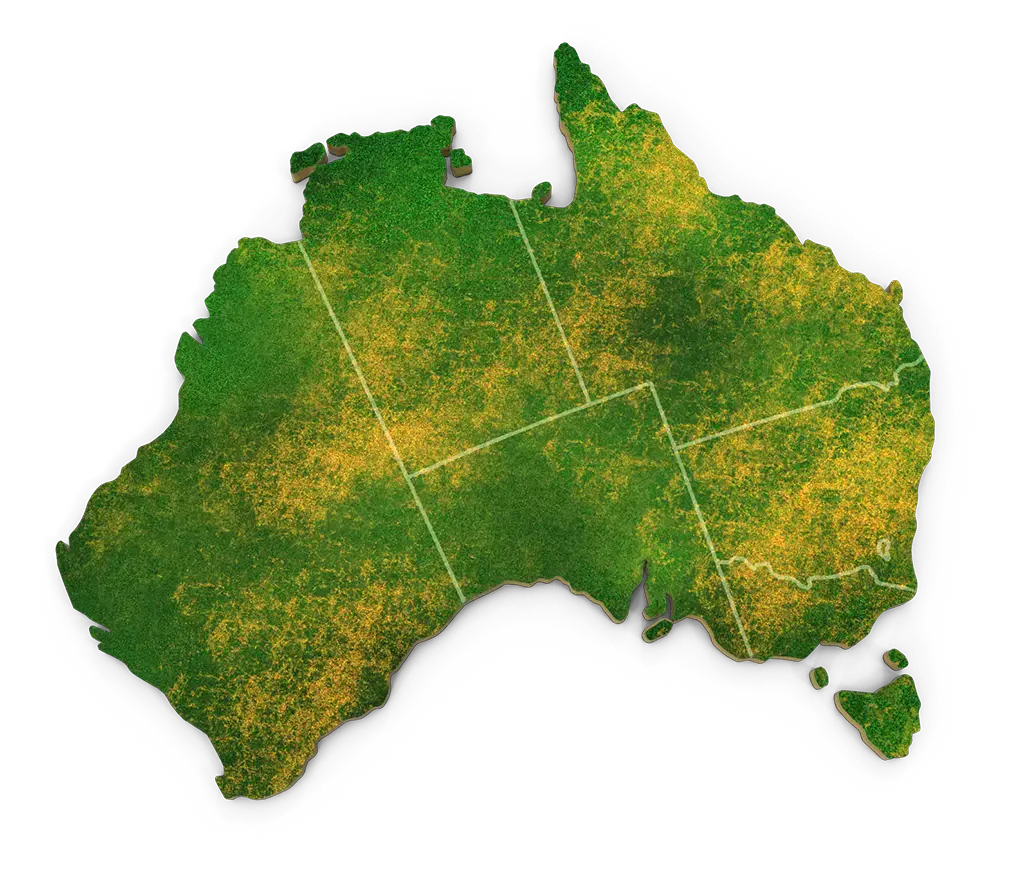
ProfitPays serves building owners and facility managers across Australia. Whether you're in a major city or regional centre, our BIM-equipped FM services ensure your assets perform optimally and your operations run smoothly.


Frequently Asked Questions
Got questions about our Facility Management service? Here are some quick answers to help you understand how ProfitPays adds value to your project.
Do facility teams need new software?
Yes - facility teams usually need specialised Facility Management (FM) or Computer Aided Facility Management (CAFM) software to fully use BIM data after construction. A raw BIM model (from Revit, AutoCAD etc) is too technical for day to day facilities staff. The FM software acts as a bridge between the BIM model and operational tasks.
Why FM teams need software:
- Usability - BIM authoring tools (Revit, Navisworks) are designed for designers and not for maintenance staff. FM software provides simpler dashboards and user interfaces.
- Data Extraction - FM tools pull asset data (serial numbers, warranties, maintenance schedules) directly from the BIM model.
- Workflows - Facility teams need task management:
- Scheduling preventative maintenance.
- Logging repairs.
- Tracking service history.
- Integration - Good FM platforms integratate with Internet of Things (IoT) sensors, Building Mnagement Systems (BMS) and Enterprise Resource Planning (ERP) systems.
Common BIM enabled FM Software
-
- Planon
- Archibus
- Maximo (IBM)
- FM:Systems
- Trimble Manhattan
- EcoDomus
- Revit/IFC - COBie exports - Many councils and governments require COBie (Construction Operations Building Information Exchange) files, which can be imported into FM platforms.
How it Works in Practice
-
- During construction, the BIM model is enriched with FM data (asset tags, service intervals, manuals).
- At handover, this "as-built digital twin" is delivered to the facilities team.
- The FM team imprt the digital twin into FM software and then they can:
- Click on a piece of equipment in the model - pull up warranty and maintenance info.
- See when air conditioning units are due for a service.
- Track energy usage in real time (if linked to IoT sensors).
Without Specialised Software
-
- Facility teams can still view BIM models using free viewers (like Autodesk Viewer, Navisworks Freedom, or BIMx).
- But they'd only be looking at the model - they wouldn't get full FM functionality (task scheduling, maintenance logs, reporting etc)
Summary
Yes, FM teams need dedicated CAFM/IVMS software (or at least a BIM-FM integration tool) to make BIM models practical for day to day operations. Otherwise, the BIM model tisks becoming just a static file after handover. Can my existing building be converted to a BIM model?
Yes, an existing building without drawings or models can be converted into a BIM model and this process is called Scan-to-BIM or Retrofit BIM. It's increasingly common for older buildings where no reliable documentation exists.
How It Works:
- Site Survey and Data Capture:
- Laser Scanning (LiDAR) - Creates a highly accurate 3D point cloud of the building.
- Photogrammetry / Drones - Captures external geometry and roof conditions.
- Traditional Surveying - Used if budget or scope doesn't justify scanning.
- Point Cloud Processing:
- The point cloud (millions of 3D data points) is imported into BIM software (Revit, ArchiCAD etc).
- Modellers trace and build BIM elements (walls, slabs, columns, MEP services) over the point cloud.
- BIM Model Creation:
- A 3D BIM model is developed to the required Level of Detail (LOD).
- LOD 200 - 300: Sufficient for space planning and cost estimates.
- LOD 400+: Detailed enough for refurbishment, FM or heritage documentation.
- A 3D BIM model is developed to the required Level of Detail (LOD).
- Data Enrichment:
- Asset information (equipment specs, condition, maintenanc data) can be added, turning the model into a digital twin for Facility Management.
Benefits of Converting Existing Buildings to BIM
-
- Accurate Record - Provides a reliable "as-built" model where drawings are missing or outdated.
- Refurbishment and Fit-outs - Designers and QSs can plan with precise dimensions.
- Facilities Management - Integrates into CAFM systems for maintenance tracking.
- Clash Avoidance - Essential when adding new MEP services to old structures.
- Heritage Compliance - Digital record for conservation and fire and life safety upgrades.
Challenges
-
- Costs - Laser scanning and modelling can be expensive for small projects.
- Level of Detail - The Client must defined how detailed the model needs to be (too much detail = higher costs).
- Data Gaps: Some internal systems (hidden services, underground utilities) may still require invasive investigation.
Summary
Yes, existing buildings without drawings can absolutely be converted into BIM models though Scan-to-BIM. The result is a digital twin that supports renovation, compliance, FM and long-term asset management. Does FM through BIM assist with sustainability goals?
Absolutely - Facility Management through BIM can significantly help achieve sustainability and energy efficiency goals throughout a building's lifecycle. By combining BIM's detailed digital model with FM processes, facility teams gain a data-driven way to monitor, optimise and reduce environmental impact.
Key Sustainability Benefits of BIM-FM
- Energy Monitoring and Optimisation
- BIM models can be linked to IoT sensors or Building Management Systems (BMS).
- FM software tracks energy consumption in real time for lighting, HVAC and other systems.
- Enables identification of inefficient systems and optimisations strategies.
- Maintenance and Lifecycle Management
- Scheduling preventative maintenance through FM prolongs equipment life.
- Reduces waster and avoids early replacements, supporting resource efficency.
- Material and Resource Tracking
- BIM-FM can log material types, quantities and durability.
- Supports recycling or reusing materials during refurbishment or decommissioning.
- Assists in carbon footprint calculations for the building.
- Operational Efficiency
- FM dashboards can track water usage, indoor air quality and occupancy patterns.
- Optimising system operation reduces energy and water consumption.
- Scenario Analysis for Sustainability Upgrades
- BIM-FM provides accurate data for green building certifications like NABERS, LEED or Green Star.
- Simplifies regulatory reporting for sustainability targets.
Example
A commerical office uses BIM-FM integration:-
- HVAC systems are monitored via IoT sensors linked to the BIM model.
- The FM system identifies that the air handling units run at 80% capacity during unoccupied hours.
- Facility team adjusts schedules - energy savings of 15-20% realised annually.
Summary
Yes, FM through BIM directly supports sustainability goals by enabling:-
- Data driven energy resource management.
- Optimised operations and preventative maintenance.
- Material tracking and lifecycle analysis.
- Green building compliance and reporting.
How does Facility Management improve maintenance?
Great question, Facility Management (FM), especially when integrated with BIM, improves maintenance by shifting it from reactive ("fix it when it breaks") to proactive and data driven. This saves money, reduces downtime and extends the life of assets.
How FM Improves Maintenance:
- Centralised Asset Information:
- Every piece of equipment (e,g: HVAC, pumps, lighting) is logged in the FM system with:
- Manufacturer details.
- Warranty info.
- Service history.
- Spare parts availability.
- Maintenance staff know exactly what's installed and how to service it.
- Every piece of equipment (e,g: HVAC, pumps, lighting) is logged in the FM system with:
- Preventative Maintenance Scheduling:
- FM systems generate automatic service schedules based on manufaturer recommendations.
- Tasks are assigned before equipment fails, reducing breakdowns.
- Condition Based Monitoring:
- With IoT sensors linked to BIM/FM, teams can do predictive maintenance.
- Faster Fault Resolution:
- When a fault occurs, the FM system (and BIM model) can show the exact location of the equipment, access points and maintenance manuals.
- Technicians spend less time investigating and more time fixing.
- Reduced Lifecycle Costs:
- Well maintained assets last longer and result in lower capital replacement costs.
- Avoids the "run to failure" approach that often leads to expensive emergency repairs.
- Regulatory and Safety Complaince:
- FM systems track mandatory inspections (e.g: fire systems, lifts etc)
- Prevents missed checks, reducing liability and safety risks.
- Data Driven Decision Making:
- FM collects performance history.
- Teams can identify which assets are costly to maintain and plan replacements strategically.
Summary
FM improves maintenance by making it organised, proactive and data driven reducing breakdowns, extending asset life, cutting costs and ensuring compliance. What asset information is included in a CAFM system?
Good question, a CAFM (Computer Aided Facility Management) system holds detailed asset information that helps teams manage maintenance costs and compliance across a building's lifecycle. Think of it as the digital register of all building equipment and components.
Typical Asset Information in a CAFM System:
- Basic Information:
- Asset ID / Tag number
- Location (room, floor, building, site etc)
- Category (HVAC, plumbing, electrical, furniture, IT, etc)
- Barcode or RFID link
- Technical Specifications:
- Manufacturer / Supplier
- Model number
- Serial number
- Dimensions, capacity, performance specs
- Installation date and commissioned date
- Financial Data:
- Purchase cost
- Warranty details (expiry, terms)
- Depreciation schedules
- Replacement cost forecast
- Total cost of ownership (TCO)
- Maintenance Data:
- Service requirements (e.g: filter change every 6 months)
- Maintenance history (past inspections, repairs, upgrades)
- Preventative maintenance schedules
- Predictive maintenance triggers (from IoT sensors)
- Spare parts availability and supplier contacts
- Complaince and Safety:
- Certificates of compliance (fire safety, electrical, lifts, boilers etc)
- Inspection reports
- Health and safety risks (e.g: hazardous materials, lifts, boilers etc)
- Regulatory standards linked to the asset
- Operational Data:
- Energy consumption (kWh, efficiency rating)
- Usage frequency / run hours
- Condition ratings (good, fair, poor)
- Integration with BMS/IoT (realtime performance data)
- End of Life Data:
- Expected service life
- Decommissioning procedures
- Recycling / disposal info
- Environmental impact data (e.g: embodied carbon for sustainability reporting)
Example in Practice:
For an air handling unit (AHU) in a hospital:-
- Asset ID: AHU-BLDG2-l3-001
- Manufacturer: Daikin
- Model: DX-4500
- Installed: 2019
- Warranty expiry: 2024
- Next Service Due: 15 Oct 2025
- Energy Consumption: 12,000 kWh/year
- Service Contractor: ABC Mechanical
- Linked Documents: O&M manual, compliance certificate, last inspection report
Summary
A CAFM system identifies not just the location and type of assets, but also their technical, financial maintenance, compliance, operational and end of life information - essentially the full lifecycle profile of each asset. What is 7D BIM Facility Management?
7D BIM extends the BIM model beyond design & construction into the operational phase, when the building is occupied and maintained.
It links the BIM model to the FM systems (CAFM/IWMS/CMMS) so that the building's digital twin contains all the data needed to:- Manage assets and equipment
- Schedule and track preventive maintenance
- Monitor energy and resource performance
- Maintain compliance records
- Support longterm lifecycle planning
Key Features of 7D BIM in FM:
- Asset Register Integration:
- Every asset (HVAC, lighting, lifts, fire systems, etc) is logged with manufacturer details, warranties and service intervals.
- Maintenance Management:
- Preventative and predictive maintenance schedules automatically generated from asset data.
- Operations and Performance:
- Links to BMS/IoT sensors for realtime monitoring (energy use, air quality and occupancy).
- Compliance and Safety
- Stores certificates, inspection logs and safety documentation.
- Lifecycle and Replacement Planning
- Forecasts asset life expectancy, future replacement costs and sustainability impacts.
- User Friendly Access:
- Facility staff can "click" on a piece of equipment in the 3D model to pull up manuals, history and service schedules.
In Short:
7D BIM Facility Management is where the BIM model becomes a digital twin of the building, supporting maintenance, operations, compliance, sustainability and lifecycle planning long after construction ends.Related Projects
Facilities Managed with Precision & Insight
Explore recent case studies where BIM-enabled FM reduced operational costs, improved maintenance efficiency, and extended asset lifespans.
Did you like it? Share it!

